
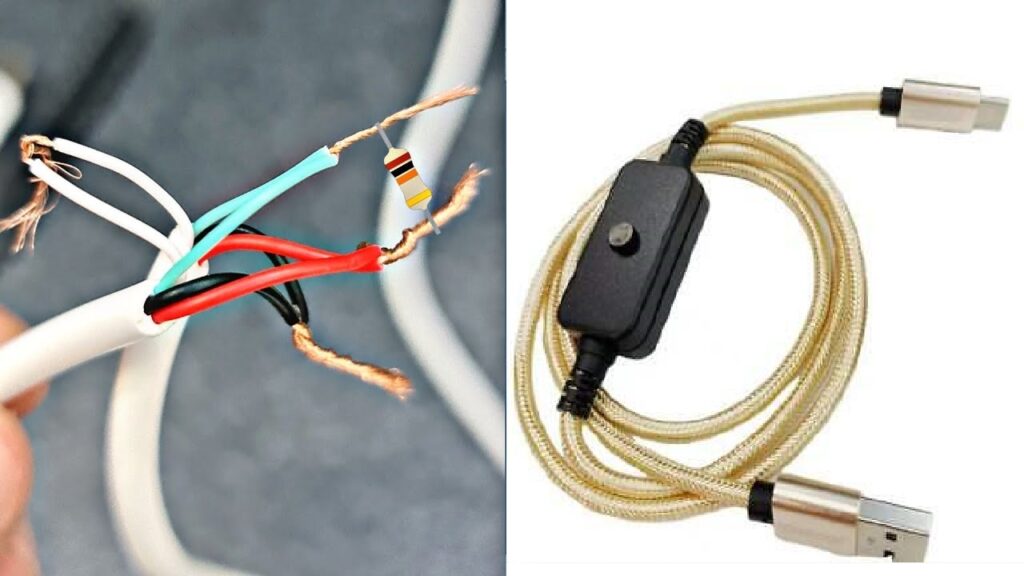
If you’ve ever had a smartphone suddenly stop connecting to the network or noticed that your mobile signal has gone AWOL, you might be staring down the dreaded IMEI problem. Honestly, it’s one of those tech headaches you don’t see coming until it hits you. For those using HiSilicon-powered devices — you know, the chipset behind a lot of Huawei and Honor phones — the HiSilicon IMEI repair tool can be a lifesaver.
Now, you might not know this, but IMEI (International Mobile Equipment Identity) numbers are basically your phone’s fingerprint. They tell networks who your device is. If something goes wrong with this number — maybe after a firmware update, a failed flash, or even a hardware repair — your phone might refuse to register on mobile networks. That’s where this tool steps in.
Table of Contents
What Is the HiSilicon IMEI Repair Tool?
In simple terms, it’s a specialised software designed to help you restore or repair your IMEI on HiSilicon devices. Unlike generic IMEI tools, this one is tailored for the HiSilicon chipset architecture, making it a lot more reliable for affected Huawei or Honor phones.
Here’s the thing: IMEI corruption isn’t extremely common, but when it happens, it can leave your phone practically useless as a communication device. And while some people might be tempted to pay hundreds to repair it at a shop, the tool gives tech-savvy users a way to fix it themselves — safely, if used correctly.
How Does It Work?
Honestly, the process isn’t as scary as it sounds, though it does require some patience and careful attention. Typically, you’ll need a PC, a USB connection to your device, and, of course, the tool itself. Once you launch the software, it detects your device and gives you options to read or rewrite your IMEI number.
Here’s a little tip: always back up your original IMEI. You never know when a misstep could make things worse. Some users even take screenshots or store the IMEI in a text file — it’s just a small precaution that can save a lot of stress.
The tool works by interacting directly with the phone’s chipset. It rewrites the IMEI data in the secure storage area of the device. Once completed, your phone should be able to connect to networks like before, restoring normal functionality.
Who Should Use It?
This isn’t something everyone should rush into. If your phone’s working fine, you don’t need it. But if you’re a tech enthusiast, a repair technician, or someone who’s accidentally bricked their IMEI after tinkering with firmware, this tool is worth knowing about.
Also, a quick word of caution: modifying your IMEI can have legal implications in some countries. In Australia, it’s crucial to ensure that any repairs you do are legitimate and that your device hasn’t been reported lost or stolen. The HiSilicon IMEI repair tool is meant strictly for legitimate repairs on your own devices.
Practical Tips and Tricks
I’ve been surprised by how many people overlook these simple steps:
- Check compatibility first – Not every version of the tool works with every HiSilicon chipset. Double-check your device model.
- Use a reliable USB cable – Sounds trivial, but a faulty connection can interrupt the process and cause further issues.
- Take your time – Rushing through can result in partial writes or errors. A few extra minutes of patience can save hours of troubleshooting.
- Keep antivirus off temporarily – Some security software flags these tools unnecessarily, so temporarily disabling it can prevent interruptions.
A lot of repair forums and online tutorials reference this tool as a standard solution. If you’re unsure, reading through user experiences can help you avoid common pitfalls.
Why It Matters
You might wonder why anyone would go to such lengths just for an IMEI. Well, consider how much we rely on our phones — for work, family, emergencies. Losing network access feels like suddenly being cut off from the world. Using a reliable tool like this can restore not just connectivity but peace of mind.
Plus, if you’re into phone repair or reselling devices, knowing how to use tools like the HiSilicon IMEI repair tool can add serious value. It’s one of those niche skills that can make a real difference.
Final Thoughts
At the end of the day, the HiSilicon IMEI repair tool isn’t magic, but it is a practical solution for a very specific problem. Like any tech tool, it works best when used with care, attention, and a bit of common sense.
So, if you ever find yourself staring at a phone that refuses to join your network, take a deep breath, do your homework, and remember that there are safe ways to bring it back to life. And honestly, there’s something satisfying about fixing it yourself — it’s like giving your phone a second chance.